

Compare top box office management software platforms. Learn pricing fee structures, reserved seating setup, POS terminals, and data rules in our guide.
Managing a physical or digital venue box office requires balancing advance online ticket sales, walk-up window transactions, reserved seat selection, and rapid gate entrance scanning.
A bad platform setup causes crashed checkout portals during peak ticket drops, long lines at walk-up windows, lost customer contact lists, and unexpected per-ticket fee markups. Selecting the right box office management software ensures steady daily merchant payouts, real-time inventory control, and fast check-in speeds for your attendees.
This buyer guide provides a detailed analysis of box office management software architecture. You will learn how to evaluate software fee structures, reserved seating chart tools, mobile point-of-sale hardware, and customer database ownership.
Quick Answer: Box Office Management Software
Box office management software is a multi-channel ticketing platform that unifies online advance ticket sales, physical walk-up box office transactions, interactive reserved seating, and door access scanning into a single database. Key features include direct merchant gateway payouts via Stripe or PayPal, custom seat map builders, barcode scanner synchronization, and 100% customer contact data ownership. Top platforms charge between 2% to 5% per ticket or offer flat monthly subscriptions ranging from $99 to $399 per month for venues selling high volumes.
Key Takeaways
- Unify Sales Channels: Connect online pre-sales, phone orders, and walk-up box office terminals to a single database to eliminate double-booking errors.
- Demand Direct Payouts: Choose platforms that connect directly to your merchant account so ticket funds settle daily into your bank account.
- Require Reserved Seating Flexibility: Ensure the software supports interactive seat selection on mobile devices with tier-based pricing rules.
- Verify Offline Scanning Support: Deploy ticket validation scanners that operate on local offline Wi-Fi routers to maintain 25 to 30 entry scans per minute during venue outages.
Core Capabilities of Box Office Management Software
A professional box office management software system acts as the operational hub for venue administration, financial tracking, and attendee entry.
1. Interactive Reserved Seating and Seat Maps
Performing arts centers, theaters, and sports venues require visual seat mapping.
Modern box office platforms feature drag-and-drop seat chart builders. Organizers configure rows, aisles, wheelchair-accessible seating, VIP sections, and price tier color codes.
When configuring online ticketing portals and seat selection engines, review our guide on implementing digital ticketing to understand server processing capacity during high-demand on-sale events.
Interactive seat maps allow online buyers to pick specific seats on desktop or mobile screens, locking selected items during checkout.
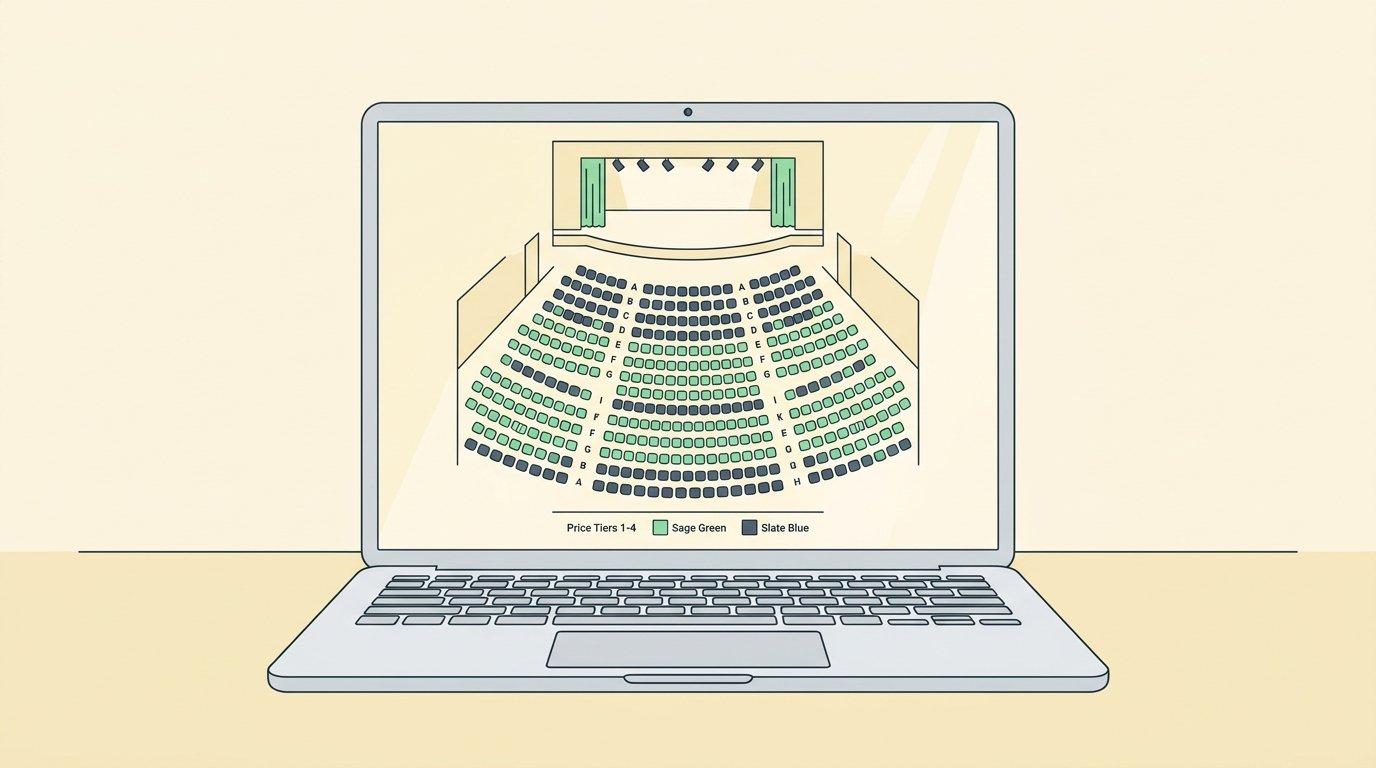
Interactive theater seating layout builder in box office software
2. Mobile Point-of-Sale Terminals
Walk-up sales at venue windows require fast physical point-of-sale hardware.
Box office software connects mobile tablets, card readers, thermal ticket printers, and cash drawers to a central terminal. Staff process credit cards, cash payments, and digital wallet passes in seconds.
To evaluate door scanner setups and hardware terminal configurations, read our operational guide on how to manage event check in.
Fast walk-up terminals reduce physical box office line waiting times and keep walk-up tickets synchronized with online inventory counts.
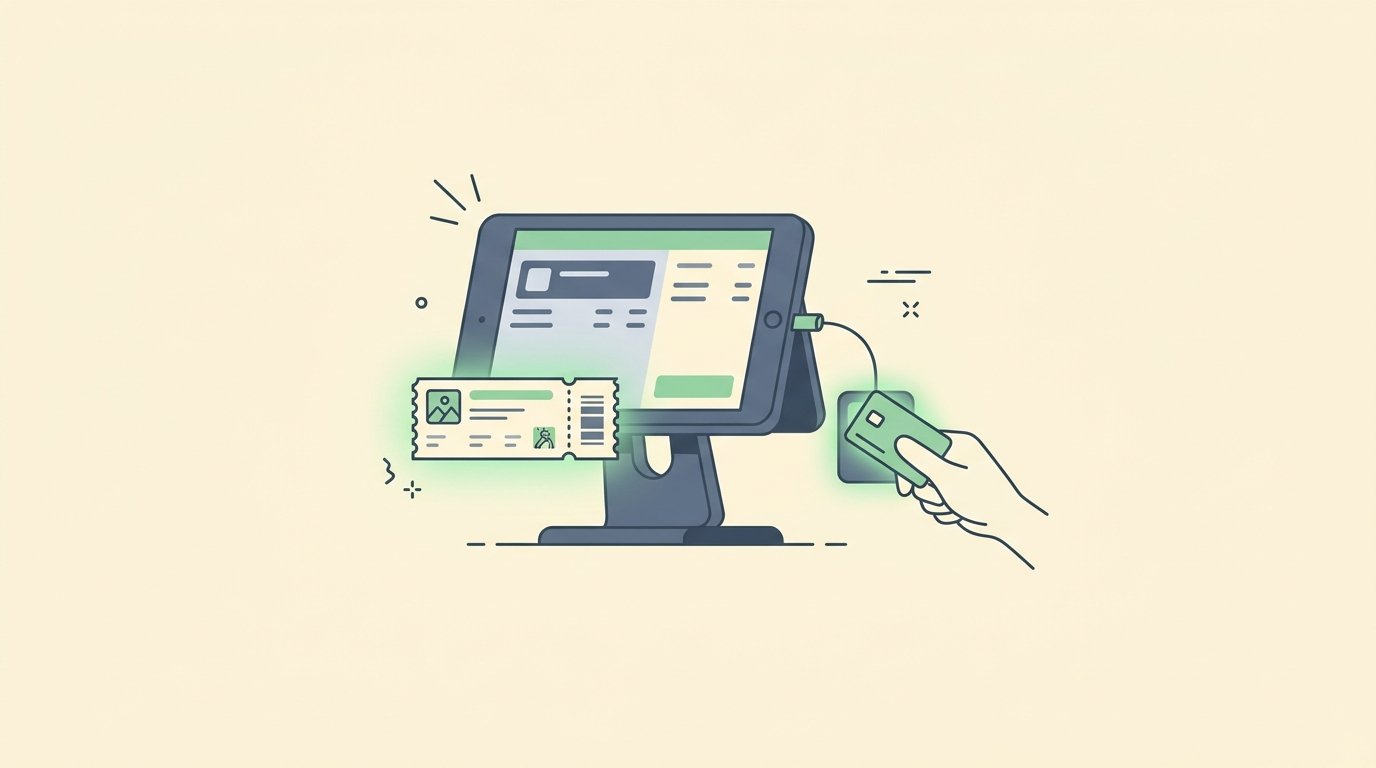
Walk-up box office point of sale terminal with credit card tap reader
3. Unified Real-Time Inventory Control
Preventing overselling requires real-time inventory locking across all sales channels.
A centralized inventory engine coordinates online ticket widgets, partner distribution outlets, phone agents, and walk-up windows. If a walk-up buyer purchases the final floor pass at the window, online sales close automatically.
For complete operational planning schedules covering box office timelines, consult our master event planning checklist.
Unified inventory tracking maintains accurate attendance limits and delivers instant financial reconciliation reports after doors close.
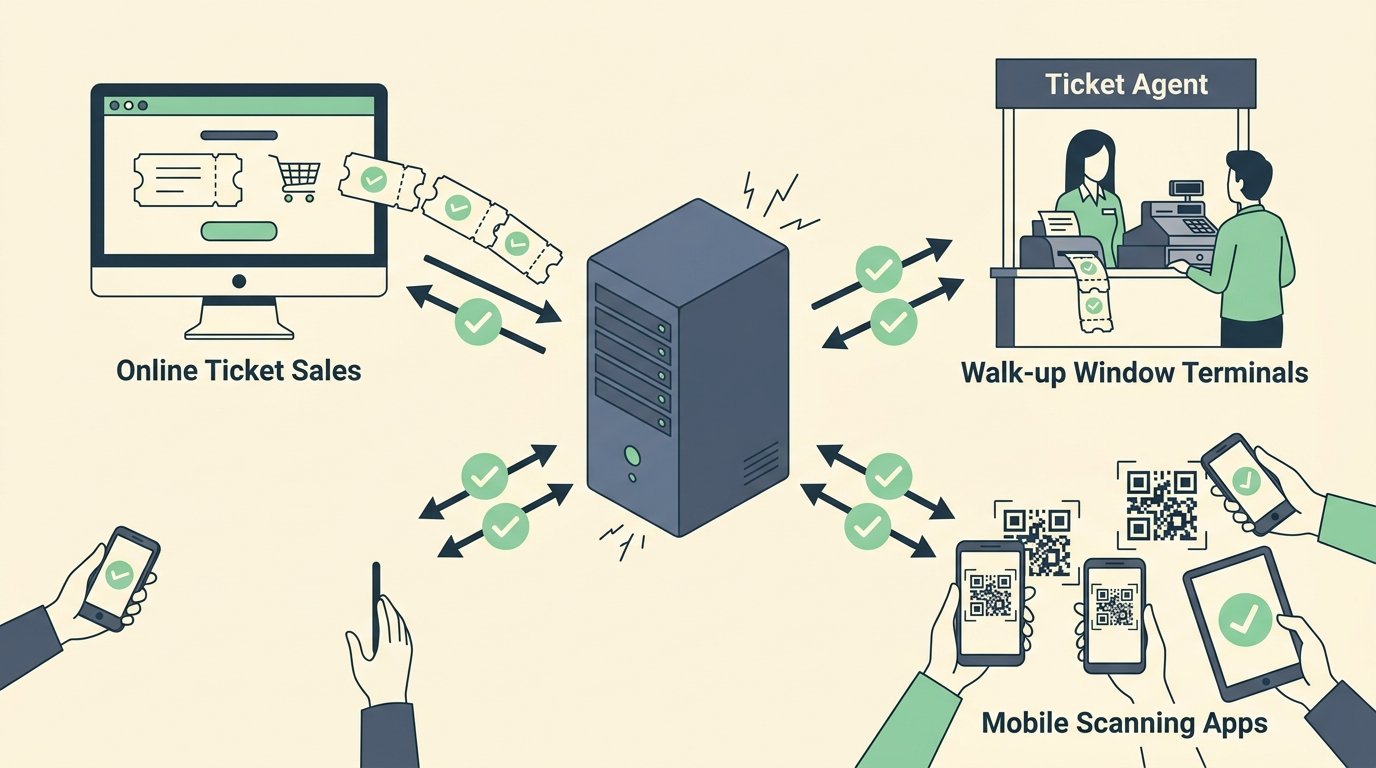
Unified real-time ticket inventory database synchronization
4. Full Customer Relationship Management Data
Attendee contact records represent long-term marketing value for event organizers.
Your box office software must store customer names, email addresses, phone numbers, purchase histories, and seating preferences in a secure database. According to industry guidelines published in PCMA’s event technology guidelines, retaining full buyer contact records increases annual ticket renewal rates by over 38%.
Complete data control enables venue managers to export CSV reports, sync email platforms, and market upcoming shows without software vendor restrictions.
Top 4 Box Office Management Software Platforms Reviewed
Selecting the optimal box office platform depends on your venue size, seating needs, and fee budget.
1. Eventbrite Organizer
Eventbrite is a widely used consumer ticketing platform offering mobile box office functionality for general admission gatherings.
- Key Features: Large public event marketplace, mobile point-of-sale app, built-in email marketing, and social media promotion tools.
- Best Used For: Community workshops, pop-up events, and organizers seeking organic marketplace discovery.
- Watch Out For: Ticket funds are held until after event completion, and per-ticket transaction fees can be higher on expensive tickets.
2. ThunderTix
ThunderTix is a specialized box office platform designed for performing arts theaters, touring shows, and reserved seating venues.
- Key Features: Custom interactive seat maps, season subscription pass management, gift card processing, and thermal ticket printer support.
- Best Used For: Theaters and PACs selling reserved seating tickets across multi-week show runs.
- Operational Advantage: Offers flat monthly pricing tiers with zero per-ticket commission markups on paid admissions.
3. TicketSource
TicketSource is a flexible ticketing system popular among non-profit organizations, school drama departments, and community halls.
- Key Features: Telephone box office support, free ticketing for unpaid events, seat map designer, and integrated donation collection.
- Best Used For: Non-profit theaters and community groups requiring low baseline costs and easy volunteer setup.
- Operational Advantage: Simple pricing structure with options to pass fees directly to buyers at digital checkout.
4. PromoTix
PromoTix is an event management platform built for music festivals, nightclubs, and large concert promoters.
- Key Features: Ambassador viral marketing tracking, live stream ticketing, fee-free ticket options, and mobile gate check-in apps.
- Best Used For: High-volume music promoters seeking viral social sales and lower processing fees.
- Operational Advantage: Allows organizers to eliminate per-ticket platform fees by utilizing custom merchant processing rates.
Feature & Pricing Comparison Matrix
Compare operational specifications across leading box office management software options.
Eventbrite: 3.7% + $1.79 per passLimited mapsRequires connectionPost-event payout50 to 1,500 capacity
ThunderTix: $99 to $299 per month Full 3D seat mappingYes (Offline mode)Daily via gateway300 to 3,000 capacity
TicketSource: 3.5% + $0.50 per passStandard seat mapsStandard syncWeekly deposit100 to 1,000 capacity
PromoTix: 0% to 1.75% + gatewayGeneral admission focusYes (High-speed)Daily direct deposit1,000 to 20,000+ capacity
According to independent venue benchmark data from Eventbrite’s venue operational survey, total software transaction fees and gateway merchant rates combined should not exceed 8% of gross ticket sales.
How to Evaluate Box Office Software Fee Structures
Evaluating platform cost models protects your venue margin.
To calculate net margins per ticket tier alongside merchant processing rates, read our step-by-step guide on how to price event tickets.
Consider these three primary software fee structures:
1. Pay-Per-Ticket Model: The software provider charges a percentage plus a flat dollar fee per ticket sold (e.g., 2.5% + $0.99). This model works best for commercial events because fees pass directly to buyers at checkout as an added line item.
2. Flat Monthly Subscription: The platform charges a fixed monthly fee (e.g., $199 per month) with zero per-ticket markups. This model benefits high-volume venues selling thousands of passes each month.
3. Enterprise Custom Tier: Negotiated rates for large festivals or sports stadiums selling over 20,000 admissions annually. Includes dedicated API integration and custom hardware terminal support.
Frequently Asked Questions
What is box office management software?
Box office management software is a digital platform that handles ticket sales, reserved seating, point-of-sale walk-up transactions, customer records, and entrance gate check-in for venues and event organizers.
Can I use my own payment gateway with box office software?
Yes. Professional box office platforms allow organizers to connect direct merchant payment gateways like Stripe, Square, or PayPal. This ensures ticket funds pay out directly to your bank account daily.
How does reserved seating software work on mobile phones?
Modern reserved seating software utilizes touch-responsive seat maps. Mobile buyers zoom into specific rows, view price tiers, select seats, and complete purchases within a mobile browser.
What hardware do I need for walk-up box office sales?
A complete walk-up box office terminal requires a tablet or computer, a credit card swipe or contactless tap reader, a thermal ticket printer, and a cash drawer connected to your box office app.
Summary
Selecting the right box office management software requires balancing software fee transparency, reserved seating capabilities, and daily payout reliability.
Prioritize software platforms offering direct merchant gateway connections, real-time inventory synchronization, and reliable offline entry scanning. By connecting a secure box office system to a structured operational workflow, you protect your revenue margins and deliver a fast entry experience for every guest.
Written by Franklin Alfano, Digital Operations & Ticketing Specialist at Bilieter.