Producing a hybrid event requires balancing the expectations of live ballroom attendees with an online virtual audience watching across multiple time zones.
Technical glitches like echoing livestream audio, delayed presentation slides, or broken virtual ticketing access links frustrate remote viewers and damage brand reputation. Applying a rigorous hybrid event production checklist ensures synchronized stage audio and video feeds, stable livestream broadcasts, and unified audience engagement.
This operational guide details hybrid production step by step. You will learn how to configure multi-camera hardware, sync digital ticketing access links, manage dual-audience live Q&A, and run technical rehearsals before showtime.
Quick Answer: Hybrid Event Production Checklist
A professional hybrid event production checklist spans four technical phases: dedicated venue bandwidth (minimum 30 Mbps dedicated synchronous upload), redundant broadcast encoders (hardware A/B switching), isolated audio mixing (separate room audio and livestream matrix outputs to eliminate room echo), and unified ticketing synchronization (issuing automated unique access tokens for virtual attendees alongside in-person QR passes).
Key Takeaways
- Separate Audio Mixes: Maintain two independent sound engineers: one mixing Front of House audio for the room, and one mixing broadcast audio for the stream.
- Enforce Hardwired Ethernet: Never broadcast hybrid livestreams over shared venue Wi-Fi; require dedicated hardwired Cat6 Ethernet lines.
- Sync In-Person and Virtual Ticketing: Issue single-sign-on virtual stream links that automatically validate registration status against your main gate database.
- Appoint an Online Emcee: Dedicate a specific virtual moderator to bridge remote audience questions into live ballroom panel discussions.
1. Technical Audio & Video Hardware Specifications
Broadcast failures happen when production teams rely on consumer webcams or shared room microphones.
Deploy professional production hardware across your physical stage:
Multi-Camera Video Switching Setup
Position three broadcast cameras around the main stage area:
- Camera A (Center Stage Wide): Fixed wide-angle shot capturing the full stage, podium, and presentation backdrop.
- Camera B (Tight Speaker Close-Up): Operator-controlled camera following the keynote presenter’s movements across the stage.
- Camera C (Audience Reaction & Panel): Wide audience shot used during Q&A segments to make remote viewers feel connected to room energy.
Feed all camera SDI outputs directly into a hardware video switcher for instant live scene transitions.
Isolated Matrix Audio Mixing (Eliminating Room Echo)
Room acoustics require completely different equalization and volume dynamics than digital broadcasts.
Room speakers require feedback suppression, while online streams require direct line-in audio with dynamic compression.
To coordinate stage staff and technical floor volunteers during production transitions, review our guide on how to manage event volunteers.
Feed presenter wireless lavalier microphones and stage audio into an auxiliary matrix mixer dedicated exclusively to the broadcast encoder.
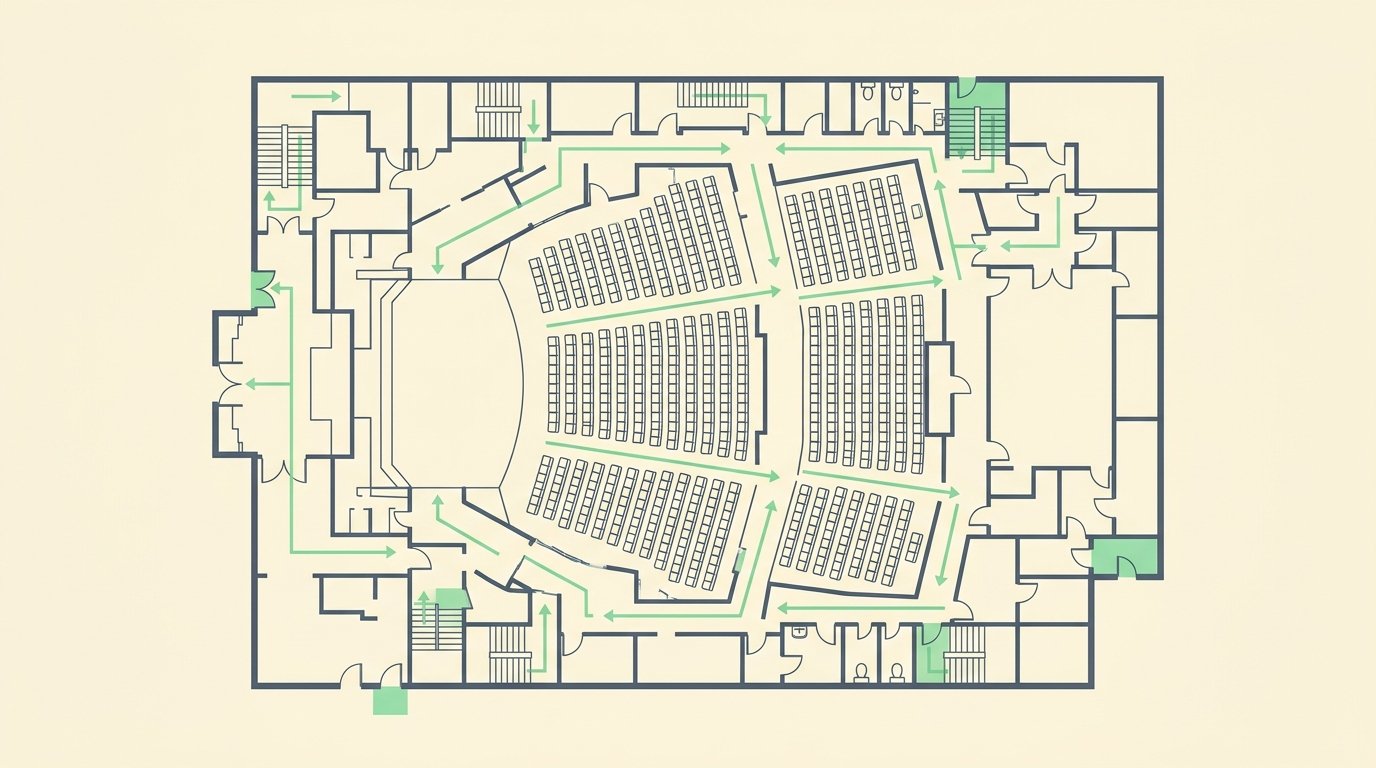
Multi-camera stage positioning and isolated broadcast matrix audio mixing
2. Venue Network Bandwidth & Redundancy Matrix
Network dropouts ruin the viewing experience for remote ticket holders.
Adhere to these bandwidth and backup redundancy standards:
| Network Component | Minimum Technical Standard | Redundancy Protocol | Operational Purpose |
|---|---|---|---|
| Dedicated Upload Bandwidth | 30 Mbps synchronous (isolated VLAN) | Secondary bonded 5G cellular failover | Guarantees 1080p 60fps stream stability |
| Hardware Encoder | Dual hardware encoders (H.264 / SRT) | Primary & backup hot-standby stream keys | Prevents broadcast interruption on crash |
| Power Infrastructure | Uninterruptible Power Supply (UPS battery) | Dedicated 20-amp technical power circuit | Protects switchers from venue power dips |
| Stream Latency Target | Sub-3 second Ultra-Low Latency (ULL) | Adaptive bitrate CDN distribution | Enables real-time remote chat participation |
3. Unified Ticketing & Access Control Synchronization
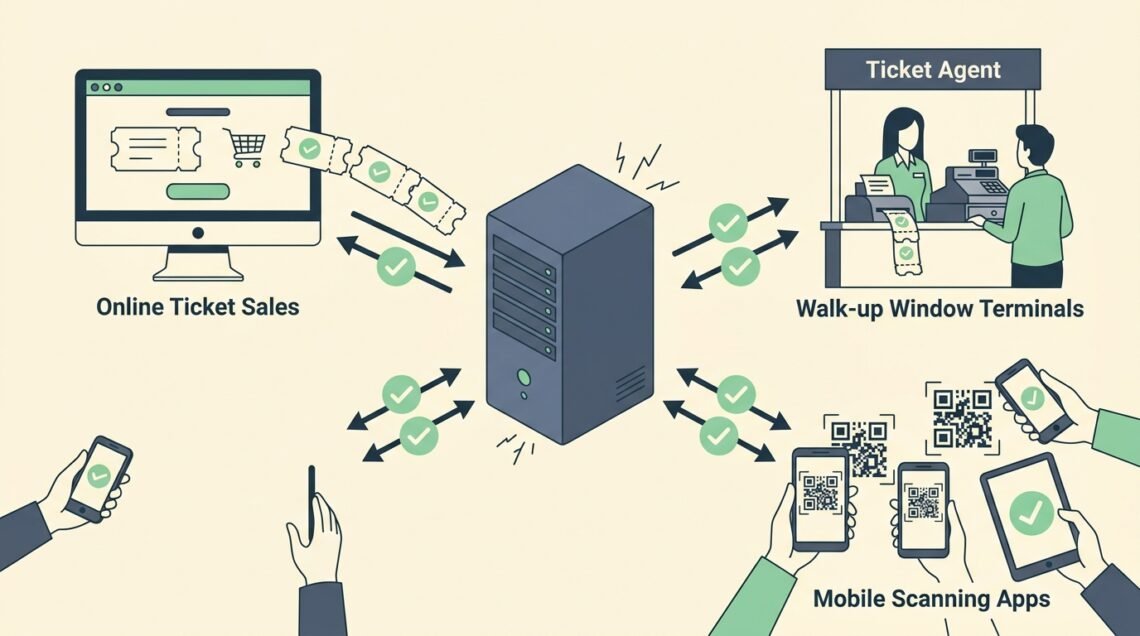
Managing hybrid events requires a single database that handles physical turnstile badges and digital virtual stream credentials.
To select platforms that support both digital pass distribution and buyer fee pass-through structures, read our buyer review on free event ticketing systems.
Ensure your registration platform executes these three access workflows:
- Automated Magic Link Delivery: Email unique, one-click access links to virtual ticket buyers 24 hours and 60 minutes before the opening keynote.
- Concurrent Login Prevention: Lock streaming links to a single active IP address or browser session to prevent unauthorized link sharing.
- On-Site Gate Check-In Sync: Scan in-person attendee QR badges using high-speed mobile check-in apps at the door.
For full venue entrance setup guidelines and hardware scanning configurations, review our operational guide on how to manage event check in.
According to technical standards published by AVIXA’s professional audiovisual guidelines, hybrid productions utilizing dedicated hardware encoders experience 74% fewer mid-broadcast stream drops than software-only streaming setups.

Dedicated upload bandwidth and dual hardware livestream encoder redundancy
4. Dual-Audience Run of Show Synchronization
Keeping both remote and live audiences engaged requires tight coordination between the stage director and virtual room emcee.
Implement these interactive production practices:
- Dedicated Virtual Emcee: Place a virtual host in an on-site broadcast studio booth to welcome online attendees, conduct live polls, and summarize key takeaways during ballroom breaks.
- Synchronized Slido / Slido Live Q&A: Aggregate questions from both in-person attendees and online viewers into a single moderated tablet screen at the speaker podium.
- Bespoke Digital Intermissions: While live attendees walk to coffee stations, broadcast pre-recorded sponsor interviews, backstage speaker commentary, or virtual networking breakout sessions.
To format sponsor placements on virtual broadcast overlays and physical stage banners, review our guide on event sponsorship proposal templates.

Dual-audience run of show coordination and synchronized live Q&A
5. Pre-Event Technical Rehearsal Checklist (T-Minus 24 Hours)
Never start a live broadcast without completing a full technical dry run:
- Audio Level Balancing: Test all presenter lavaliers against presentation video sound levels.
- Slide Presentation Clicker Sync: Verify wireless slide advancers transition slides on both the ballroom projection screen and the livestream broadcast view simultaneously.
- Recording Redundancy: Confirm direct-to-SSD backup recordings are activated on all cameras and switchers for post-event on-demand video packaging.
- Emergency Fallback Graphics: Program a static “Broadcast Will Resume Shortly” emergency slate on your video switcher in case of an unexpected technical interruption.
Frequently Asked Questions
How much upload speed do I need to livestream a hybrid event?
You need a minimum of 20 to 30 Mbps dedicated upload speed for a 1080p HD stream, or 50+ Mbps for 4K multicasting. Always secure an isolated hardwired line that attendees cannot access.
How do I keep online attendees engaged during in-person lunch breaks?
Host exclusive virtual panel discussions, broadcast pre-recorded expert interviews, or open breakout networking rooms with guided discussion prompts.
What is the best streaming protocol for low-latency hybrid events?
SRT (Secure Reliable Transport) and WebRTC provide the lowest latency and highest packet recovery for interactive live hybrid broadcasts.
Can one sound technician mix both the live room and the livestream?
For simple one-person presentations, a single engineer can manage both feeds. For multi-speaker panels or concerts, two dedicated audio technicians prevent echo and volume clipping.
Summary
Executing a flawless hybrid event production checklist ensures that both in-person guests and remote virtual viewers receive a world-class experience.
Secure dedicated hardwired bandwidth, separate room and broadcast audio feeds, unify your digital and physical ticketing workflows, and rehearse your technical run of show. By eliminating technical friction, you maximize audience reach and deliver immense value to attendees and sponsors worldwide.
Written by Franklin Alfano, Digital Operations & Ticketing Specialist at Bilieter.