
10 Best Event Management Software Platforms in 2026
Picture this: 400 people arriving at your venue gate in the first 20 minutes. Half of them are fumbling with paper printouts. Your single scanner is reading barcodes at two per minute. The line wraps around the building before the main act even starts.
That scenario plays out constantly — and it is almost always a software problem, not a people problem.
The right event management software gives your gate team the tools to process hundreds of attendees per hour, keeps your ticket sales organized from launch to close, and generates the financial reports you need immediately after doors shut. The wrong one locks you into percentage-based fees that erode margins, or crashes offline when venue Wi-Fi buckles under load.
This guide reviews the 10 best event management software platforms for 2026. For each tool, we cover what event type it fits best, its actual fee structure, its gate scanning reliability, and the one operational pitfall most reviews skip entirely.
What You Need to Know Before Choosing
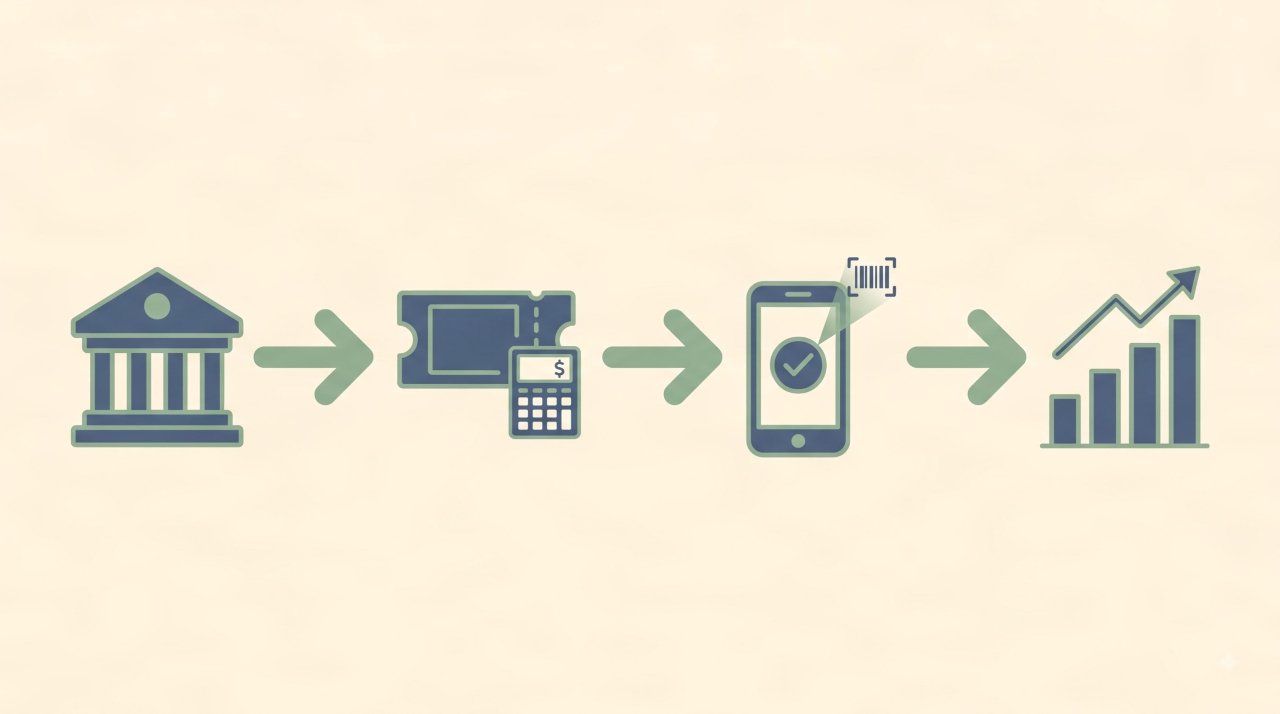
Before comparing platforms, clarify three things about your event:
| Decision Factor | Why It Matters |
|---|---|
| Event Type | School athletics, corporate summits, and public festivals need fundamentally different features |
| Ticket Fee Model | Percentage-based fees hurt high-ticket events; flat fees hurt very low-priced ones |
| Gate Environment | Outdoor or rural venues need robust offline scanning; urban convention halls usually don’t |
Get these three factors locked in first. Every recommendation below maps directly to them.
1. Eventbrite
Eventbrite is the most widely recognized event management software in the world, largely because its built-in consumer marketplace actively promotes your event to people already browsing for things to do.
Best suited for: Medium to large public events, festivals, community workshops, and concerts (100–10,000+ attendees)
Fee structure: Percentage of ticket price plus a fixed amount per ticket. Free events are listed at no charge.
Gate scanning: Mobile app supports QR code scanning on iOS and Android. Offline mode is limited — a stable Wi-Fi signal is recommended for high-volume entry periods.
What most reviews miss: Eventbrite’s discovery marketplace drives genuine organic traffic to your event listing. For organizers without a strong existing audience, that built-in promotional reach is worth a lot. However, that same marketplace puts your event next to direct competitors. If a ticket buyer finds your festival, they also see three others on the same page.
One common mistake: Underestimating fee impact on premium ticket prices. If you charge $150 per ticket and sell 500 tickets, percentage-based fees add up fast. Run the math before you commit to the platform.
2. Cvent
Cvent is the enterprise standard for event management software. It handles complexity that would break most other platforms: multi-track conference agendas, exhibitor booth management, hotel room block reservations, and deep CRM sync with Salesforce and HubSpot.
Best suited for: Large corporate conferences, trade expos, multi-city roadshows, and association conventions (1,000–50,000+ attendees)
Fee structure: Annual subscription pricing, custom quoted per organization. Not suitable for single-event budgets.
Gate scanning: Full offline capability with dedicated hardware scanner support. Badge printing kiosks are native to the platform.
What most reviews miss: Cvent’s venue sourcing database — the largest in the industry — is itself a major value driver. Event planners can source, compare, and negotiate venue contracts directly inside the same platform they use for registration and check-in. That end-to-end workflow eliminates a huge amount of manual coordination time.
One common mistake: Deploying Cvent without a dedicated internal administrator. The platform rewards deep configuration — organizers who treat it as a plug-and-play tool rarely capture more than 30% of its capability.
3. TicketTailor
TicketTailor built its entire business model around one frustration: event organizers paying percentage fees to ticketing platforms on every single sale. It charges a small flat fee per ticket sold, with no percentage cut regardless of your ticket price.
Best suited for: Independent venues, community theater, charity galas, arts festivals, and repeat event organizers (50–5,000 attendees)
Fee structure: Flat fee per ticket (currently from $0.26 per ticket), or an optional monthly subscription for high-volume organizers. No percentage cut.
Gate scanning: Full offline scanning via mobile app. Gate devices sync the attendee database locally before entry opens — scanning continues even if internet drops entirely.
What most reviews miss: TicketTailor has no built-in event discovery marketplace. You bring your own audience via email, social media, and organic search. That is a real limitation for first-time event organizers, but for established brands with existing email lists it is irrelevant — and the savings in fees are substantial.
One common mistake: Skipping the attendee confirmation email customization. TicketTailor’s email templates are clean but minimal by default. Organizers who do not customize the confirmation email miss an opportunity to set arrival expectations, communicate parking, and reduce gate congestion questions.
For strategies on driving ticket sales independently, our guide on how to get people to buy tickets to your event covers eight proven steps.
4. Whova
Whova won the Event Technology Award multiple consecutive years because it solved something most event management software ignores entirely: what attendees actually do between sessions. It integrates a full attendee networking and engagement layer into the registration and check-in system.
Best suited for: Academic symposiums, professional association meetings, hybrid conferences, and large corporate retreats (200–8,000 attendees)
Fee structure: Custom quote per event. Pricing scales with attendee count and feature tier.
Gate scanning: Mobile scanning app with real-time sync. Offline capability available with pre-event database download.
What most reviews miss: Whova’s attendee-side app drives measurable conference revenue for sponsors. Exhibitors and sponsors can push targeted notifications to attendees based on session interest, location within the venue, and networking match scores. For B2B conference organizers monetizing sponsorships, that feature directly increases sponsor ROI and repeat bookings.
One common mistake: Deploying Whova for a simple single-session ticketed event. Its networking and agenda features are underutilized and create unnecessary complexity for events where attendees just need a gate pass.
5. GoFan
GoFan is the dominant event management software for K-12 schools in the United States. It was built from the ground up for athletic departments, activities offices, and school administrators who needed to eliminate cash handling at gymnasium and stadium gates.
Best suited for: High school sports events, school dances, drama productions, scholastic tournaments, and district-wide activities programs
Fee structure: Convenience fee passed to the ticket buyer. The school receives full face value. No upfront cost to the school.
Gate scanning: Mobile ticket validation via attendee’s smartphone screen. No physical scanner hardware required. Gate staff validate live digital tickets on buyer devices.
What most reviews miss: GoFan has built-in support for NFHS Network livestream integration, allowing schools to sell digital game passes alongside physical event tickets from one platform. For athletic departments managing both in-person gate attendance and remote streaming audiences, that dual-channel ticket management is genuinely valuable.
One common mistake: Failing to train gate staff to check for screenshot reuse. Unlike QR scanner systems that invalidate codes on first scan, GoFan’s basic mobile validation relies on staff visually confirming a live animated ticket graphic. Screenshot-based entry attempts are the most common fraud method with this system.
For a detailed comparison of school ticketing options, read our breakdown of GoFan digital tickets vs traditional ticketing and our guide to digital ticketing for schools.
6. TicketLeap
TicketLeap is a clean, approachable event management software designed for first-time event organizers who need ticket sales running in under an hour without reading a manual.
Best suited for: Community festivals, local fundraisers, haunted attractions, food events, and small performing arts venues (50–3,000 attendees)
Fee structure: Low percentage fee per ticket sold, with options to pass fees to buyers or absorb them.
Gate scanning: Dedicated TicketLeap Scan mobile app. Full offline capability with pre-sync.
What most reviews miss: TicketLeap’s event page builder produces genuinely attractive public event listings without requiring any design skills. For small community organizations that do not have a marketing team, that matters — a professional-looking event page directly affects ticket conversion rates.
One common mistake: Using TicketLeap for events requiring complex multi-tier registration logic or conditional questions. The platform’s registration form builder is intentionally simple. Anything beyond standard ticket types and quantity limits requires a more capable platform.
7. Regpack
Regpack is not a traditional ticketing tool. It is a registration and payment management platform designed for organizations whose attendees need to complete multi-step conditional registration flows before purchasing.
Best suited for: Summer camps, youth programs, retreat centers, sports academies, and multi-week training courses
Fee structure: Monthly subscription plus a payment processing percentage. Pricing scales with registrant volume.
Gate scanning: Basic check-in functionality. Not designed for high-speed gate scanning environments.
What most reviews miss: Regpack’s payment plan automation is genuinely sophisticated. Organizers can configure automatic installment billing schedules with conditional triggers — if a registrant misses a payment, access to certain program materials is automatically restricted. For high-cost programs where payment defaults are a real operational concern, that automation saves significant administrative time.
One common mistake: Using Regpack for fast-paced public events. Its check-in tools were built for managed registration programs, not high-volume gate scanning. Expecting it to process 50 arrivals per minute will lead to bottlenecks.
8. Bizzabo
Bizzabo is the enterprise event experience platform built for technology companies, financial services firms, and large B2B brands that treat events as a primary revenue channel.
Best suited for: Major technology summits, user conferences, global sales kickoffs, and multi-city corporate roadshows (1,000–25,000+ attendees)
Fee structure: Enterprise subscription. Custom quoted.
Gate scanning: Smart badge printing kiosks with wearable integration. Full offline capability. Real-time analytics dashboard visible during event operation.
What most reviews miss: Bizzabo’s onsite data layer is its real differentiator. During a live event, organizers can see which sessions are over capacity, which sponsors are getting floor traffic, and where check-in bottlenecks are forming — all in real time on a management dashboard. For events with multiple simultaneous tracks and exhibitor floors, that live operational intelligence genuinely changes how decisions are made on the day.
One common mistake: Selecting Bizzabo for a single-day event with under 500 attendees. The onboarding investment and contract size make it cost-prohibitive for anything outside large-scale recurring event programs.
9. RSVPify
RSVPify handles what most event management software handles poorly: invitation-only events with curated guest lists, meal preference tracking, and elaborate seating arrangements.
Best suited for: Corporate awards dinners, VIP product launches, private fundraising galas, black-tie events, and executive retreats (20–1,500 guests)
Fee structure: Tiered monthly plans. Free tier available for events under 100 RSVPs with basic features.
Gate scanning: Digital check-in app for gate staff. Works from pre-loaded guest list.
What most reviews miss: RSVPify’s drag-and-drop seating chart tool syncs automatically with meal preference and dietary restriction data collected during registration. For formal seated dinners where venue catering requires accurate covers counts by meal type days in advance, that synchronization eliminates an entire manual data-transfer step.
One common mistake: Using RSVPify for open public ticket sales. The platform is built around managed guest list workflows, not consumer-facing ticket marketplaces. It lacks the public discovery and promotional tools that drive organic ticket sales for open events.
10. SquadUp
SquadUp targets the boutique end of the live event market: music festivals, nightlife venues, college social events, and independent promoters who need clean mobile-first ticketing without paying enterprise software prices.
Best suited for: Indie music festivals, college events, nightlife venues, food and wine experiences, and pop-up social gatherings (300–10,000 attendees)
Fee structure: Low per-ticket fee structure. Buyers pay a service fee; the organizer receives face value.
Gate scanning: Native iOS and Android scanner app with real-time check-in tracking for managers. Supports standard hardware Bluetooth scanners.
What most reviews miss: SquadUp’s real-time manager dashboard lets event promoters monitor gate throughput, ticket tier breakdown, and total revenue from their phone during the event itself — without needing to return to a desktop. For mobile-first event promoters running high-energy events, that live visibility is operationally useful.
One common mistake: Testing gate scanning for the first time on event day under low venue lighting. SquadUp’s QR scanner performs well under standard conditions, but barcode recognition speed decreases significantly in dim environments without testing and calibration beforehand.
The 4 Criteria That Separate Good Software from Great Software
Most buyers compare dashboards and integrations. The operators who run smooth events compare these four things:
1. Gate Scanning Throughput

A well-configured gate using a dedicated Bluetooth scanner should process 20–30 attendees per minute. A staff member scanning on a smartphone typically handles 10–15 per minute. Calculate your expected peak arrival window and staff your gates accordingly.
2. PCI-DSS Payment Compliance

Every platform processing credit card transactions must comply with PCI-DSS (Payment Card Industry Data Security Standard). Confirm compliance status before signing any contract — especially for events handling payments directly on-site.
3. True Offline Capability
“Offline mode” means different things to different platforms. True offline capability means gate devices have downloaded the full attendee database locally and can scan and invalidate tickets without any internet connection. Partial offline modes that require periodic syncing are vulnerable to gaps when venue networks degrade under load.
4. Total Fee Math — Not Just the Rate
A platform charging 3% on a 200-ticket sale costs 6 per ticket. Across 1,000 sales, that is 6,000 in fees. A flat-fee platform at $ 0.65 per ticket costs $650 total for the same event. Run the full fee calculation before selecting a platform, not just the percentage headline.
For venue access security planning alongside your software setup, download our free event security plan template to cover gate protocols, scanner positioning, and crowd management procedures.
Common Pitfalls to Avoid
- Choosing on price alone. The cheapest option for ticket sales often becomes the most expensive option at the gate when check-in collapses under peak load.
- Skipping staff training. No event management software runs itself. Gate teams need at least one rehearsal with the scanner app under realistic conditions before doors open.
- Ignoring offline mode. Even in urban convention centers, Wi-Fi can fail under the load of hundreds of smartphones connecting simultaneously. Test your platform’s offline fallback before the event.
- Over-building the registration form. Every additional required field in your registration flow reduces ticket conversion rates. Collect only what you genuinely need before ticket purchase — gather preference data after.
Frequently Asked Questions
What is the best free event management software?
TicketLeap, RSVPify (under 100 RSVPs), and Eventbrite (for free events) offer functional entry-level free tiers. For paid events, no platform is entirely free — every ticketing tool charges either a percentage fee, a flat fee, or a monthly subscription to cover payment processing costs.
What features should event management software include?
At minimum: online ticket sales with multiple tier support, a mobile QR scanner app with offline capability, PCI-DSS compliant payment processing, automated confirmation emails, real-time sales reporting, and attendee check-in tracking. Advanced platforms add CRM integration, badge printing, sponsor management, and live session tracking.
Can event management software handle both free and paid tickets?
Yes. Most platforms allow organizers to create separate ticket tiers within the same event — including free registration tiers alongside paid ticket categories. This is useful for events with VIP, general admission, and complimentary press passes all managed from one dashboard.
How does event management software prevent duplicate ticket use?
Digital ticketing systems assign each ticket a unique QR code or barcode token. When a gate scanner reads the code, the system marks it as used and invalidates it instantly across all connected devices. Any subsequent attempt to scan the same code triggers an alert. Platforms with true offline mode sync invalidation records to all gate devices during the pre-event database download.
Is event management software worth it for small events under 100 people?
Yes — even for small events, digital ticketing eliminates cash handling, creates an instant attendee record, and produces financial reporting without manual spreadsheet work. TicketTailor and RSVPify both have entry-level plans specifically suited to small event organizers.
Your Next Step: Match the Platform to Your Event
The best event management software is the one built for your specific event type, not the one with the most features or the highest review score on a comparison site.
Corporate conference planners need Cvent or Whova. School administrators need GoFan. Independent community organizers who want to stop paying percentage fees need TicketTailor. High-volume entertainment promoters need Eventbrite or SquadUp.
Make the decision based on your event type, your gate environment, and your fee math — not on which logo appears first in a listicle.
Once your software is selected, your next challenge is making sure people actually buy tickets. Read our full guide on how to get people to buy tickets to your event and explore event planning 101 to build the full operational picture before launch day.
Written by Franklin Alfano, Founder & Lead Editor of Bilieter. Franklin has over 10 years of experience in live event production, digital access control, and venue management. All Bilieter guides follow our Editorial Policy & Event Standards.
